Configuration
To enter the ECU configuration, click the Config tab at the top. This will give access the the Engine Setup, Fuel, Ignition, Channels, Functions & Communications tabs
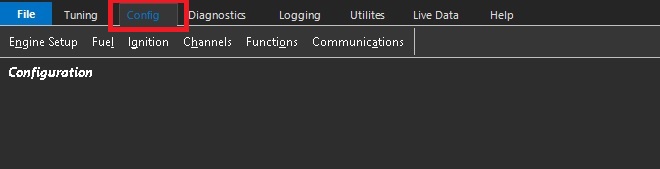
The Emtune software has a very systematical approach to configuration. Start on the left side “Engine Setup”, and work your way over from left to right.
Do not skip sections. Following this practice as accurately as possible will ensure tuning process will move smoothly in the future.
WARNING: Incorrect configuration or entry of any setup parameter may result in damage to the ECU electronics or connected hardware.
Tuning Tips:
Any increases to the accuracy of the information entered into the configuration of the ECU, will serve to reduce the level of calibration error.
The importance of accurate configuration cannot be overstated when the project is to be Torque Modelled. Take the time to ensure all configuration entries are based on accurate, verified information. For example, if an engine is described as a 6.2 litre engine but the actual displacement is 6162 cc, the actual value of 6162 cc should be entered. Using an assumed or rounded value introduces an error into the Engine Model that must then be accounted for during calibration.
Minimising errors during the configuration stage reduces the calibration error that must be addressed during engine tuning. This applies to all configuration parameters, not just engine displacement. In short, if you put the effort into the configuration, your job will be easier when it comes to tuning.*
- Engine Setup
- Air Mass
- Air Mass Model Setup
- Speed Density (BAP)
- Speed Density (MAP)
- Mass Air Flow Sensor (MAF)
- Throttle Mass Flow Setup
- Air Mass User 1
- Air Mass Model Blend Table
- Emtron Air Mass Model
- Air Mass Modifier Table
- Bank Mass Air Flow Sensor
- Banked Speed Density
- Exhaust Pressure Estimate
- Manifold Pressure Estimate
- Mass Air Flow Sensor (MAF) + AirMass Modelled (Blend)
- Triggers
- Vehicle
- Fuel Configuration
- Fuel Model Overview
- Fuel Model: Fuel Pressure
- Fuel Density Table
- Fuel Main
- Fuel Model Blending control
- Fuel Secondary Setup
- Fuel Table Control
- Injection Mode
- Injection Timing Sec
- Injector Channel Setup
- Injector Deadtime Table
- Injector Driver Setup
- Injector Linearisation Table
- Injector Max Duty Clamp
- Injector Nozzle Ref Pressure
- Injector P/H Advanced
- Ref Injector Size (Primary)
- Ref Injector Size (Sec)
- Ref Static Fuel Pressure (Prim)
- Ref Static Fuel Pressure (Sec)
- Secondary Injector Deadtime Table
- Starting Tables
- Stoich Ratio Setup
- Stoichiometric Custom Table
- Ignition Configuration
- Channels
- Input Setup
- Quick Calibrations
- Barometric Pressure
- Calculated Runtimes
- Cooling System Pressure
- Crankcase Pressure
- Cruise Command Switch
- Engine Oil Pressure
- Engine Oil Temperature
- Engine Temperature
- Ethanol Content Sensor - Continental
- Exhaust Manifold Pressure
- Fuel Pressure 1
- Fuel Temperature
- Inlet Air Temperature
- Input Shaft Speed
- Intake MAF Air Temperature
- Internal LSU Sensor Control
- Lambda Inputs
- Lambda Sensor Installation and Wiring
- LSU 4.9 ADV / LSU 4.9 Comparison
- Manifold Pressure
- Speed Inputs
- Throttle Position
- Turbo Speed
- VVT
- Communications
- CAN Bus
- Bandwidth Considerations
- OBD II J1979
- CAN Bus Errors
- CAN Bus Termination
- CAN Bus Torque Modifier
- CAN Custom RX Data Sets
- CAN Parameter Scaling
- CAN Torque Limit
- EML-4 CAN Setup
- Emtron 8 Way Keypad
- Emtron EIC10 Setup
- Emtron EIC16M Setup
- Emtron ETC4 Setup
- Emtron ETC8M Setup
- Emtron Lambda to CAN (ELC/ELCM) Setup
- Generic Dash Configuration
- Parameter Scaling
- Pre-defined Rx Set 1
- Pre-defined Transmit Set 1
- Racepak Dash CAN Setup
- Sequential Addressing