Windows 11
Right click on the
Network Connectionicon in the system tray. It may appear as a wired connection or a wifi icon.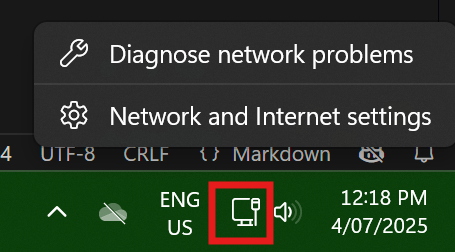
Click on
Ethernet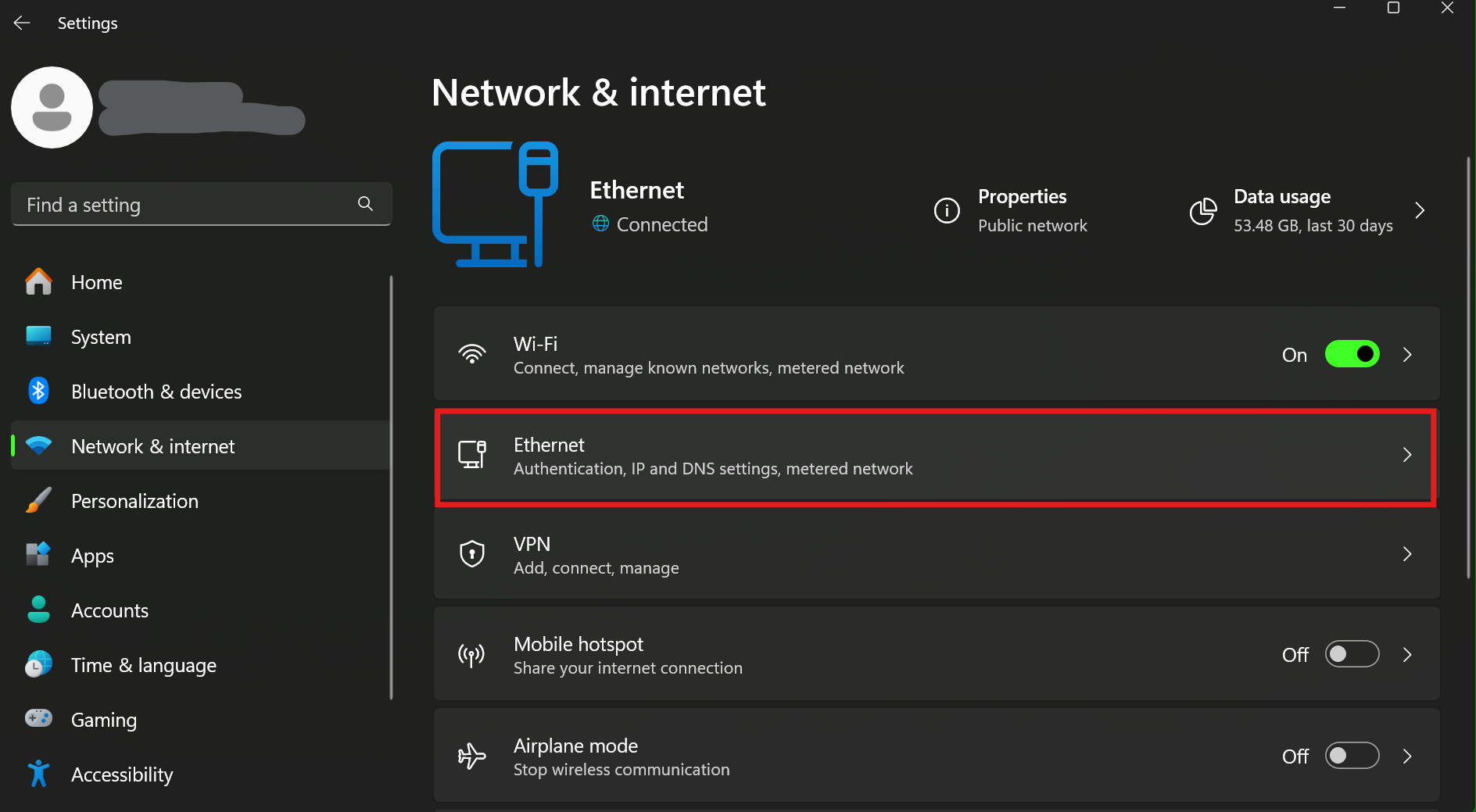
Expand the settings for your ethernet adapter and click on the Edit button for
IP Assignment.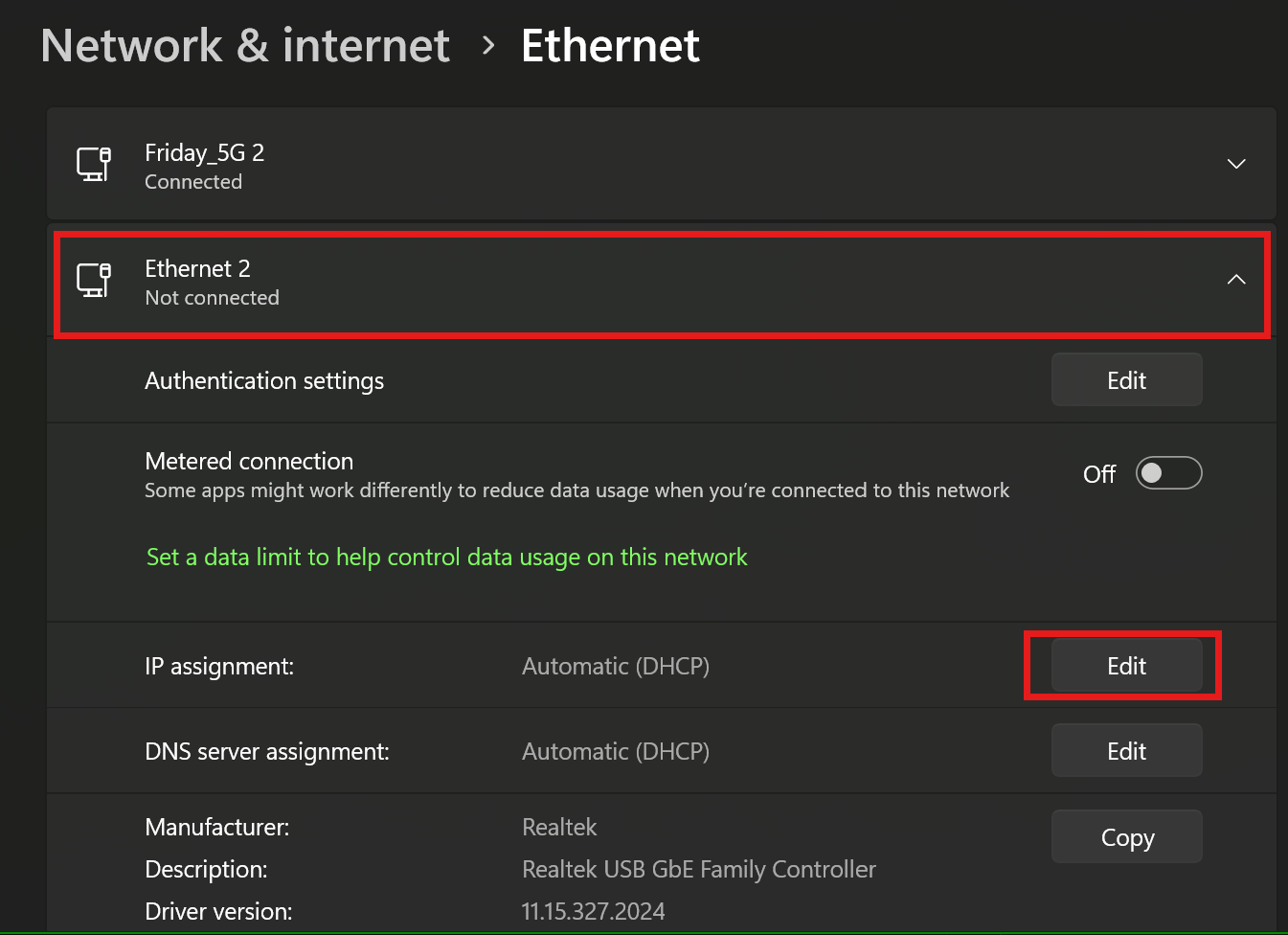
Set it to
Manual, turn onIPv4, and enter the emtronIP AddressandSubnet mask.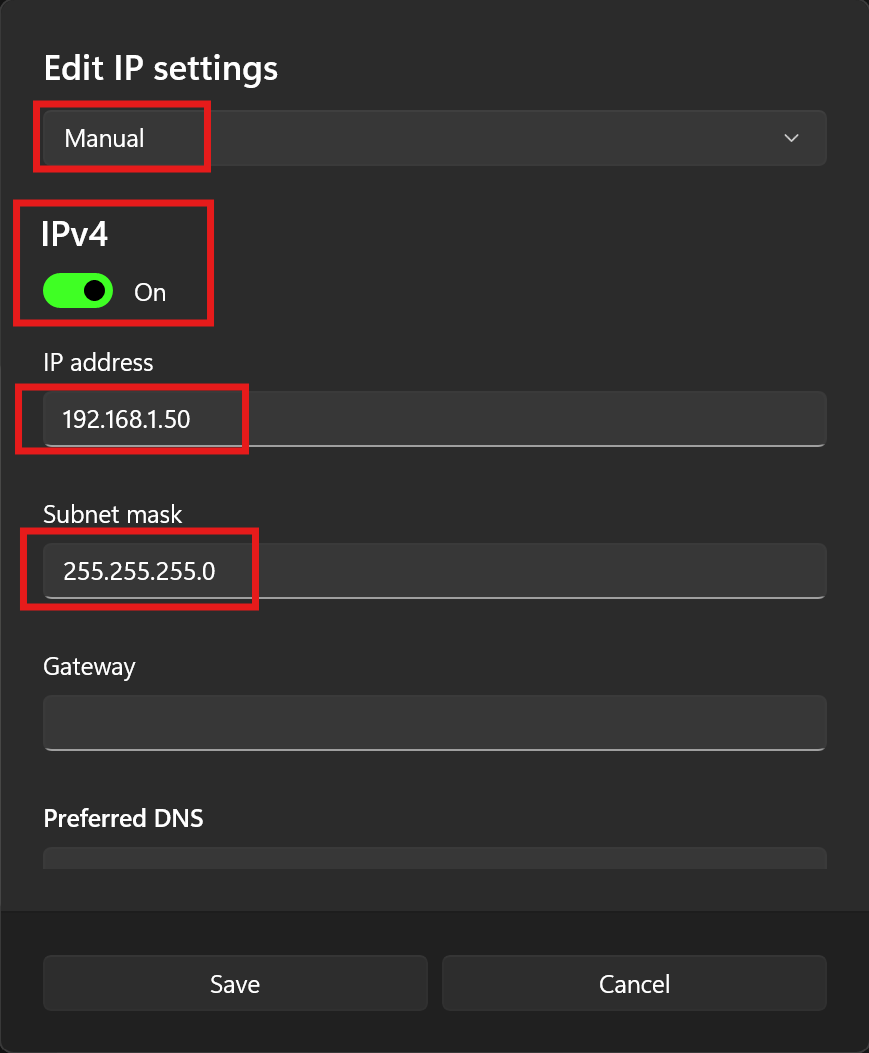
Click
Save.Done. Connect the Emtron Ethernet cable.