Starting Fuel Table Control
Table Control Setup
Each starting fuel phase (Pre-Crank Fuel, Cranking Fuel, and Post-Start Fuel) includes a Table Control parameter which defines how the ECU sources fuel values during engine start.
This control determines whether a single fuel table is used or whether Z-axis blending is enabled between two calibration tables.
Available Options
| Value | Mode |
|---|---|
| 0 | OFF |
| 1 | ON - Table 1 |
| 2 | ON - Table 2 |
| 3 | Not Available |
| 4 | Not Available |
| 5 | Not Available |
| 6 | ON - Z-Axis |
Mode Descriptions
OFF (0)
Disables the selected starting fuel phase. No fuel contribution is applied from this table.
ON - Table 1 (1)
Uses Table 1 only for fuel calculation.
Typically represents the base calibration (e.g. Petrol / 0% Ethanol reference).
ON - Table 2 (2)
Uses Table 2 only for fuel calculation.
Typically represents the alternative calibration (e.g. E100 / 100% Ethanol reference).
ON - Z-Axis (6)
Enables Z-axis blending between Table 1 and Table 2.
The ECU interpolates between both tables based on the configured Z-axis input (typically Ethanol Content %), producing a blended fuel value.
- 0% Z-axis → 100% Table 1
- 100% Z-axis → 100% Table 2
- Intermediate values → linear interpolation between both tables
Not Available (3–5)
Reserved for future functionality and should not be selected.
Z-Axis Blended Fueling (Dual Table Interpolation)
The ECU supports a Z-axis blending strategy that allows fuel values to be interpolated between two tables based on a third operating axis, typically Ethanol Content (E-content).
This feature is used to account for differences in fuel properties, vaporisation characteristics and cold start behaviour between fuels like Petrol (Gasoline) and Ethanol (E100).
Concept Overview
Two base tables are defined:
Table 1 (0% Ethanol Reference)
Represents fuel requirements for standard Petrol operation.Table 2 (100% Ethanol Reference)
Represents fuel requirements for full Ethanol (E100) operation.
A third axis (Z-axis), typically Ethanol Content (0–100%), is used to interpolate between these two tables.
Operation
For any given operating condition, the ECU:
- Looks up the required value in Table 1
- Looks up the required value in Table 2
- Reads the current Z-axis value (e.g. Ethanol Content %)
- Calculates a blended output using linear interpolation between the two tables
Example
- At 0% Ethanol, the output is taken entirely from Table 1 (Petrol)
- At 100% Ethanol, the output is taken entirely from Table 2 (Ethanol)
- At 50% Ethanol, the output is a 50/50 blend of both tables
- At intermediate values, the ECU smoothly interpolates between the two
Application to Starting Fuel
This blending method can be applied to multiple starting fuel phases:
- Pre-Crank Fuel
- Cranking Fuel
- Post-Start Enrichment
Each phase is independently blended using the same Z-axis strategy, allowing the ECU to automatically adjust fuel delivery based on ethanol content.
Benefits
- Eliminates the need for separate fuel maps per fuel type
- Ensures smooth transitions between fuel blends
- Maintains consistent start behaviour across ethanol ratios
- Improves cold-start robustness for flex-fuel operation
PreCrank Z-Axis Setup
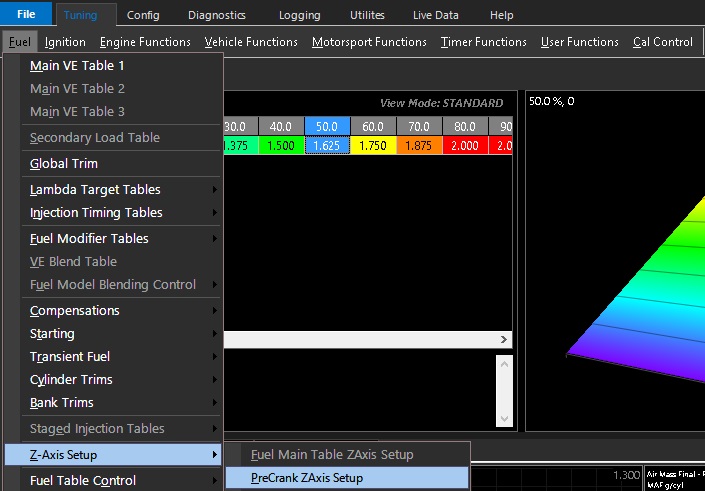 The Z-Axis activates a user definable X-Axis to swap or blend between PreCrank tables based on the selected runtime
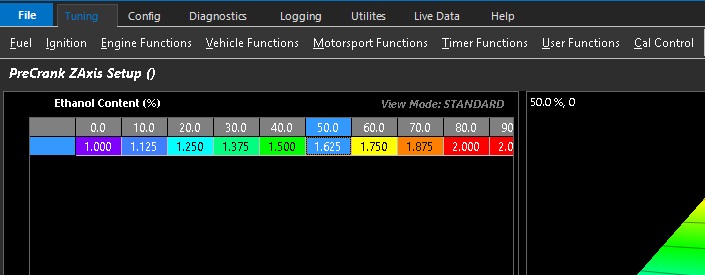 PreCrank ZAxis spanned across ethanol content example shown above
Crank Z-Axis Setup
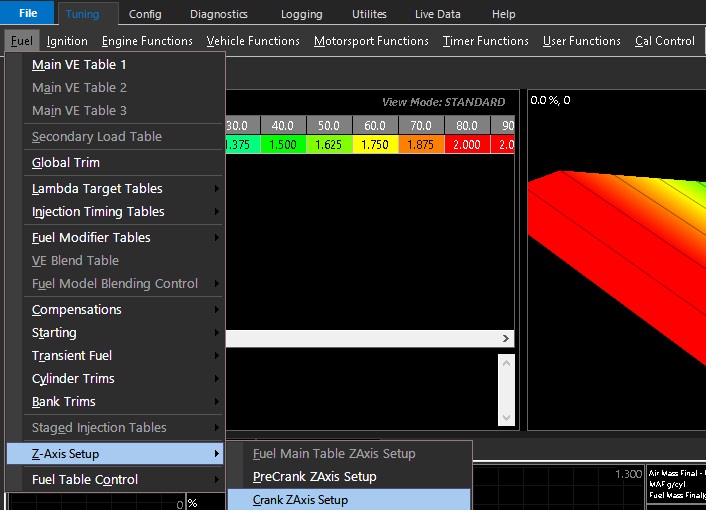 The Z-Axis activates a user definable X-Axis to swap or blend between Crank tables based on the selected runtime
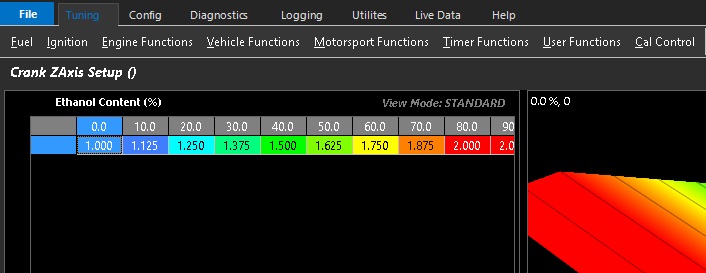 Crank ZAxis spanned across ethanol content example shown above
Post Start Z-Axis Setup
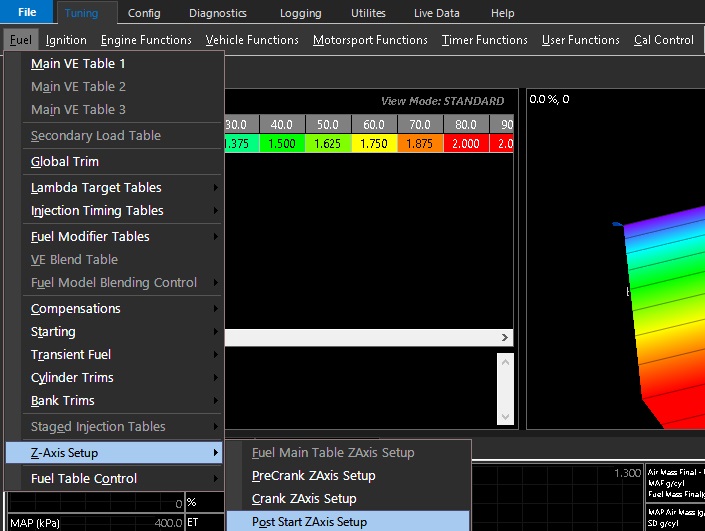 The Z-Axis activates a user definable X-Axis to swap or blend between Post Start tables based on the selected runtime
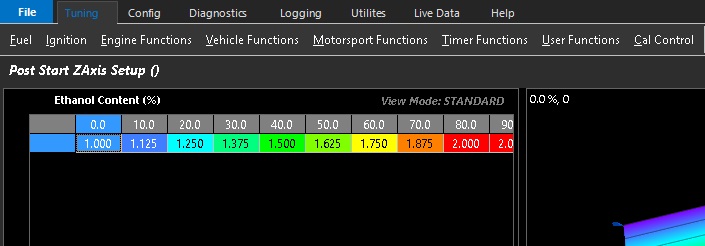 Post Start ZAxis spanned across ethanol content example shown above